







Security questions shouldn't require a plethora of consoles to answer. With MIND's MCP integration, now they don't.
Security questions shouldn't require a plethora of consoles to answer. With MIND's MCP integration, now they don't.
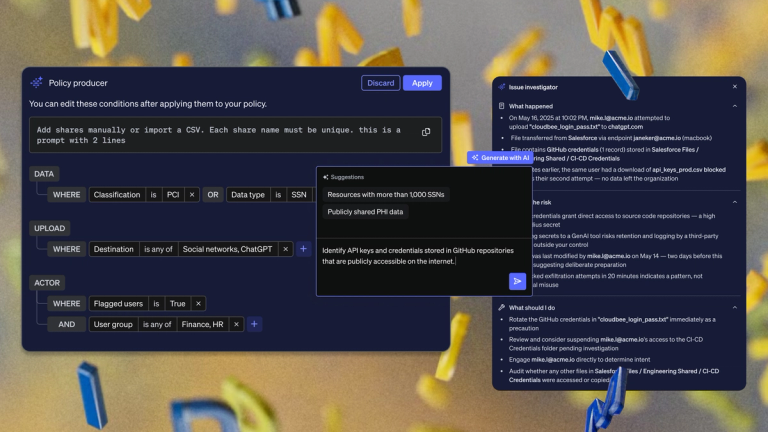
The MIND Claude Connector is a Model Context Protocol (MCP) integration that connects Claude to your MIND account, so security teams can ask about open issues, policies, resource inventory, users and roles, audit logs and activity in natural language and get answers grounded in their own data. It’s read-only by design and takes minutes to set up. It works wherever your team uses Claude, from claude.ai and Claude Desktop to Claude Code in the terminal. This post covers what the connector does and how IT can roll it out.
Why do DLP questions still cost a console switch?
The data that security teams need usually exists already. It just sits a console away from the conversation that needs it. A triage question comes up in the middle of an investigation, so someone opens the MIND console, signs in, filters the view, copies the numbers and pastes them back into the conversation. Each hop is small. Across a week of investigations and exception reviews, the hops add up to real time.
Meanwhile the surrounding work has already moved. Teams draft incident summaries in Claude, reason through detections with it and use it to write the queries they used to write by hand. The workflow changed shape. The DLP console stayed where it always was, one browser tab and one sign-in away from the question that needed it.
What is the MIND Claude Connector?
It’s MIND’s MCP server, hosted at https://mcp.mind.io. Once connected, Claude picks the right MIND tool for whatever you ask, so nobody needs to memorize tool names or API syntax. You authenticate by signing in to MIND in your browser and your tokens refresh automatically from then on.
We aren’t just wiring an API into a chat window. We’re minding the distance between a security question and its answer, because a question that's easy to ask is a question that actually gets asked.
The trust context matters here, too. MIND was the first data security company accepted into Anthropic’s Cyber Verification Program, and the connector follows the same principle that shaped the platform. Honest by default, with access scoped to what the job requires.
How does IT install the MIND connector in Claude?
For Claude Desktop and claude.ai, setup lives in custom connectors:
- Go to Settings > Connectors > Add custom connector.
- Name it mind-mcp and set the URL to https://mcp.mind.io.
- Click Continue, then Add, then Connect.
- Sign in to MIND when your browser opens.
On Claude Team and Enterprise plans, custom connectors are added by an organization Owner, which means one admin can make MIND available to the whole team instead of everyone configuring it alone. Anthropic also supports organization-wide authorization for MCP connectors if you’d rather manage access centrally.
For Claude Code, it’s two commands:
claude mcp add --transport http mind-mcp https://mcp.mind.io -s user
claude mcp login mind-mcp
The -s user flag registers the server for every project and session, not only the folder you ran it in. Log in to MIND in the browser that opens and you're done.
What can your team ask once it's connected?
Start with a quick check. Ask Claude to print your MIND account name. If it answers with your account, the connection works. From there, plain English is the whole interface:
- “List my open issues with critical or high severity.”
- “How many resources with PII are on our SharePoint?”
- “Which active policies have over 100 open issues?”
- “Who are the admins on my account?”
If you want to see what’s under the hood, ask Claude what MIND MCP tools it has and it’ll list them. In Claude Code, running /mcp and selecting mind-mcp shows the same thing.
What should IT admins know before approving it?
The connector is read-only. It can look up issues, resource inventory, policies, users and roles, audit logs and activity, but it won’t change any data or settings in MIND. Access is tied to each user’s own MIND sign-in, so nobody sees more through Claude than they’d see in the console itself.
Control stays with you on the Claude side as well. Owners decide whether the connector is available to the organization, and removing it ends the integration. And because the server speaks standard MCP, it works with the other MCP-capable clients your teams may already run, so you’re approving an open protocol rather than a one-off integration.
If your security team already works in Claude, this is the shortest path between their questions and your data security program. Connect the MIND Claude Connector in minutes. And if you’re not running MIND yet, see the platform in your environment first, then bring it into Claude. Let’s mind what matters.
Sources: